

Microsoft 365 keeps your team connected, but does not automatically create an independent copy of your business data. Human error, ransomware, insider threats, hardware failure, and expired retention can still cause permanent data loss. At Third-Eye Tech, we protect your critical data with Microsoft 365 backup, Office 365 email backup services, and business continuity and …

Microsoft 365 keeps your team connected, but does not automatically create an independent copy of your business data. Human error, ransomware, insider threats, hardware failure, and expired retention can still cause permanent data loss. At Third-Eye Tech, we protect your critical data with Microsoft 365 backup, Office 365 email backup services, and business continuity and disaster recovery plans.
Key Takeaways
- Microsoft 365 is reliable, but it is not a complete backup solution for protecting data.
- Software vulnerabilities cause 31% of breaches and result in lost data.
- Ransomware is involved in 48% of breaches, which is why proactive measures are necessary.
- AI is strengthening 15 attack techniques, including those involving malicious intent.
- Backups support faster recovery and business continuity, ensuring your organization’s data is safe and secure.
Microsoft Protects the Platform, Not Every File
Microsoft manages the Microsoft 365 platform and its underlying cloud services, but protecting your business data remains a shared responsibility. Your organization is responsible for maintaining access controls, enforcing data protection policies, and ensuring that lost or deleted information can be recovered.
Microsoft 365 offers features such as version history, retention settings, and recycle bins, but these tools do not provide a comprehensive backup solution. Deleted items are only recoverable for a limited period, and once data is permanently deleted, administrators may be unable to restore it without a separate backup copy.
This is especially important because Microsoft Exchange, OneDrive, Teams, SharePoint, and other SaaS applications often store sensitive data, intellectual property, and confidential business information. Microsoft’s shared responsibility model makes it clear that businesses must take an active role in protecting and recovering their data rather than relying solely on the cloud service provider.
What Causes Data Loss in Microsoft 365?
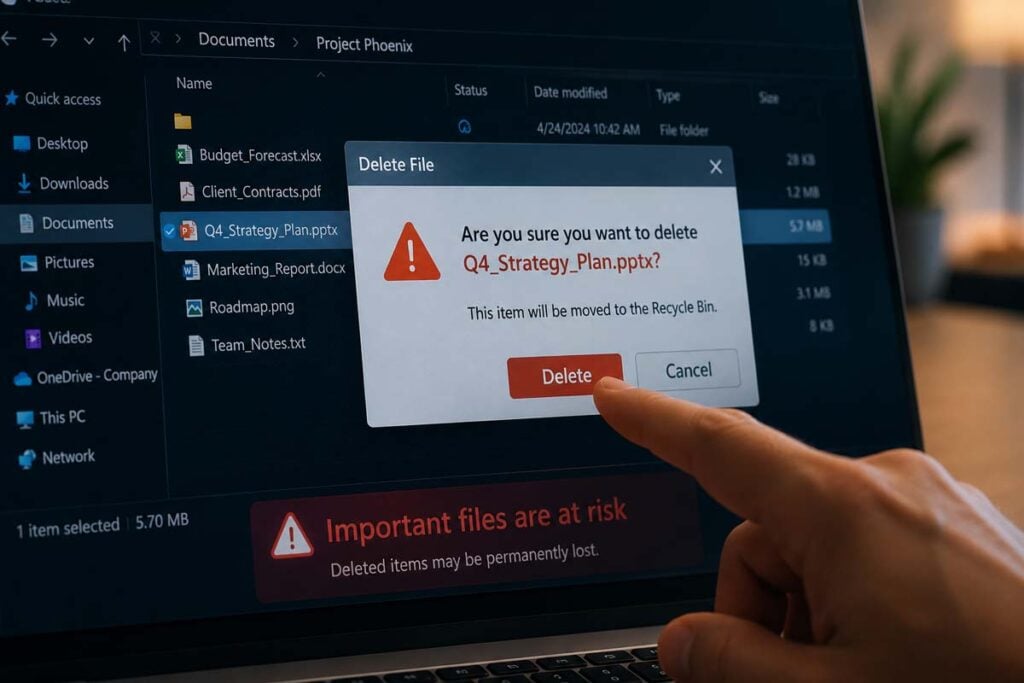
Data loss in Microsoft 365 can begin with a simple mistake, but today’s risks increasingly include software vulnerabilities, ransomware, and AI-assisted cyberattacks. According to Verizon’s 2026 Data Breach Investigations Report, 31% of breaches now begin with attackers exploiting software vulnerabilities, while 48% involve ransomware. The report also found that generative AI is strengthening 15 different attack techniques, and mobile social engineering attacks have a 40% higher success rate than traditional email phishing.
Human error
Employees may accidentally delete emails, overwrite files, empty the recycle bin, or remove user accounts before OneDrive data has been transferred. Regularly scheduled backups preserve important information and make it possible to recover earlier versions.
Ransomware and malicious attacks
Ransomware can encrypt files stored across Microsoft 365 and prevent employees from accessing critical data. Third-party backup solutions support recovery by allowing IT teams to restore clean copies created before the infection.
Software vulnerabilities
Unpatched applications and security gaps can provide attackers with an entry point into connected systems. With 31% of breaches now beginning through vulnerability exploitation, regular patching, security monitoring, and reliable backups have become increasingly important.
Phishing and mobile social engineering
Attackers increasingly use fraudulent text messages, phone calls, and other mobile threats to steal credentials or gain access to business accounts. Once an account is compromised, attackers may delete, copy, encrypt, or expose sensitive data.
Insider threats
A current or former employee may intentionally delete enterprise data, copy confidential information, or move files without authorization. Strong access controls, data loss prevention policies, and separate backup copies can reduce the risk and support recovery.
Sync errors and corrupted files
Synchronization problems can spread damaged, encrypted, or incorrectly edited files across OneDrive, SharePoint, and connected devices. Full and incremental backups preserve earlier versions before the damage occurred.
Data breaches
Compromised accounts can expose intellectual property, customer information, and other sensitive data. Security teams need access controls, information protection policies, and tested recovery procedures to contain an incident and restore affected information.
At Third-Eye Tech, we treat Microsoft 365 backup as a proactive layer of protection. Security controls help reduce the likelihood of an incident, while independent, regularly scheduled backups give your business a reliable way to restore critical data when prevention is not enough.
Data Loss Prevention Is Not the Same as Data Backup
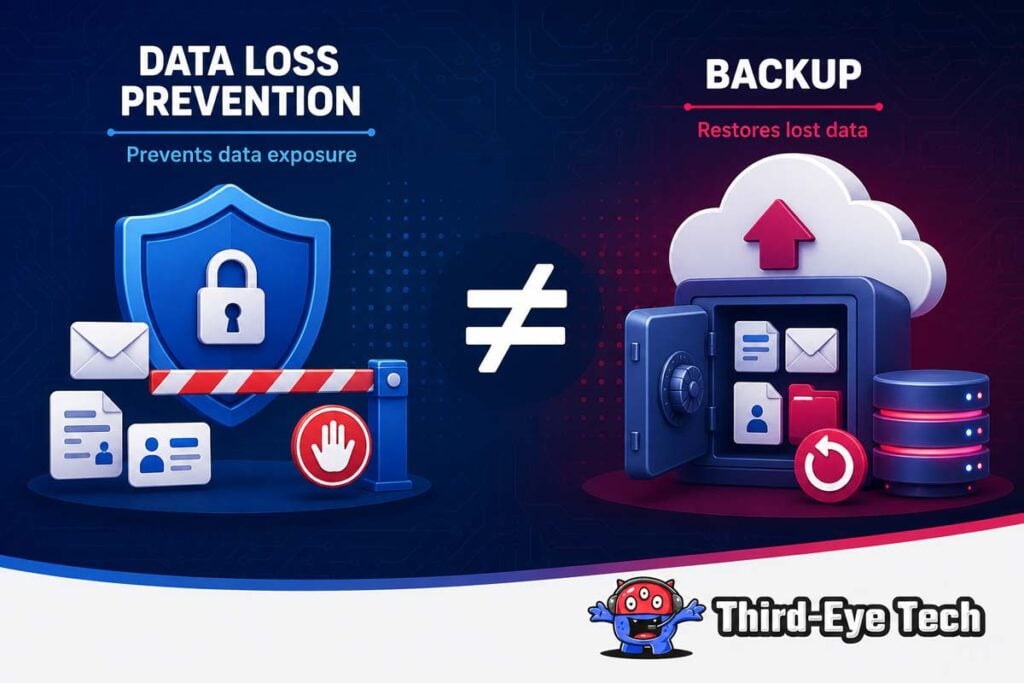
Data loss prevention, or DLP, helps control how sensitive information is used, shared, and moved within your business.
Think of it as a set of digital guardrails that helps stop employees from accidentally sending confidential information to the wrong person or saving it in an unapproved location.
Microsoft DLP solutions use pattern matching and machine learning to recognize sensitive information, including:
- Financial and payment details
- Customer or employee information
- Intellectual property
- Confidential business documents
- Personal information protected by data regulations
DLP policies then decide what should happen when this information is detected. For example, a policy may warn an employee, block an email, or prevent a file from being shared through Microsoft Teams, Microsoft Exchange, cloud storage, or another SaaS application.
These controls support the proper handling of sensitive data, strengthen information protection, and help your business meet regulatory compliance requirements. They are particularly useful for protecting sensitive information while it is being shared or is in transit.
However, DLP does not create a separate copy of your data. If a file is accidentally deleted, encrypted by ransomware, corrupted, or lost because of hardware failure, DLP solutions cannot restore it.
This is where data backup becomes essential. DLP helps prevent sensitive information from being shared or moved incorrectly, while data backup gives your business a protected copy that can be recovered after something goes wrong.
Most organizations, therefore, need both:
- DLP solutions to monitor and control sensitive information
- Data backup to restore emails, files, and critical data after a loss
At Third-Eye Tech, we help businesses use these two layers together so they can reduce the risk of data exposure while still maintaining a reliable way to recover important information.
What a Strong Backup and Recovery Plan Includes
A reliable Microsoft 365 backup strategy should include:
- Complete coverage: Office 365 email backup services protect Microsoft Exchange; coverage includes Microsoft OneDrive, OneDrive data, Microsoft Teams, SharePoint, and former accounts.
- Automated protection: Regularly scheduled backups run frequently, saving time and reducing manual work.
- Full and incremental protection: Full backups create recovery points; incremental backups capture changes across large volumes of enterprise data.
- Independent storage: Backup copies stay separate from Microsoft 365, sometimes across multiple locations. Separate cloud storage limits security threats affecting live data stored in the platform.
- Flexible recovery: Granular recovery enables organizations to restore data from one email or a Microsoft OneDrive account.
- Suitable retention: Retention reflects compliance needs, data regulations, contracts, and regulatory requirements.
A backup strategy is only effective when it combines reliable technology with a clear recovery process. Your business should know what data is protected, where the backup copies are stored, who is responsible for recovery, and how quickly critical systems can be restored.
40% of businesses do not reopen after a disaster. This is why data backup, disaster recovery, and compliance should be planned together. A well-designed approach keeps important information easily accessible, supports business continuity, and helps your organization meet data regulations, retention requirements, and data security obligations.
At Third-Eye Tech, we help businesses turn these individual safeguards into one practical Microsoft 365 protection strategy. The result is not simply stored data, but a clear and tested plan for recovering quickly, protecting customer trust, and keeping your business moving when something goes wrong.
How We Help at Third-Eye Tech
At Third-Eye Tech, we provide comprehensive backup and Office 365 email backup services for Microsoft Exchange, Microsoft OneDrive, OneDrive data, Microsoft Teams, and SharePoint.
We help businesses:
- Backup data through automated schedules
- Store backup copies away from the live Microsoft environment
- Restore data after human error, ransomware, insider threats, or malicious attacks
- Set retention periods supporting compliance needs and regulatory requirements
- Build and test a disaster recovery plan
- Improve data security practices and access controls
Our approach enables organizations to protect their data without complexity. We consider the critical data involved, the hardware required for recovery, and the speed needed to restore important systems.
Final Thoughts
Microsoft 365 is a reliable platform, but reliability alone does not provide complete protection against accidental deletion, ransomware, account compromise, or other causes of data loss. A comprehensive backup, data protection, and disaster recovery strategy is essential for reducing risk, meeting compliance requirements, maintaining business continuity, and protecting customer trust.
At Third-Eye Tech, we help businesses take a proactive approach to Microsoft 365 security and recovery. Our Microsoft 365 backup services, DLP solutions, ransomware protection, and regularly scheduled backups safeguard emails, files, and other critical data while ensuring information can be restored when it is needed most. Do not wait for a security breach or unexpected deletion to expose gaps in your backup strategy. With secure backups and a practical disaster recovery plan in place, your business can recover faster and continue operating with confidence.
Schedule your free IT Checkup with Caleb today and find out whether your business data is truly protected.
Frequently Asked Questions About Our Office 365 Backup Services
Why are Office 365 email backup services important for protecting critical data?
Office 365 email backup services create independent copies of your emails and mailboxes, helping protect critical data after accidental deletion, ransomware, or account compromise. At Third-Eye Tech, we help ensure this information can be restored quickly when Microsoft’s built-in retention is no longer enough.
What should a comprehensive backup include?
A comprehensive backup should cover Microsoft Exchange, OneDrive, SharePoint, Microsoft Teams, and other business-critical systems. At Third-Eye Tech, we structure data backup around how your business works so your information remains protected and easily accessible when you need it.
Why does every business need a disaster recovery plan?
A disaster recovery plan defines how your business will restore systems, recover critical data, and continue operating after an outage or cyberattack. At Third-Eye Tech, we help businesses build practical plans that support both disaster recovery and long-term business continuity.
How does data backup improve data security?
Data backup strengthens data security by creating protected recovery copies that are separate from your live Microsoft 365 environment. This gives your business a reliable way to restore information after human error, ransomware, malicious activity, or system failure.
How do DLP solutions and DLP policies support data regulations?
DLP solutions use DLP policies to identify, monitor, and control how sensitive information is shared or moved. They help businesses meet data regulations, reduce accidental exposure, and support stronger compliance practices alongside a secure backup strategy.
How can disaster recovery keep business data easily accessible?
Disaster recovery combines tested recovery procedures, secure storage, and reliable backup copies so your important information remains easily accessible after an incident. At Third-Eye Tech, we help align recovery times with your business priorities so your team can get back to work with minimal disruption.