

Microsoft 365 Support for Small Businesses
Microsoft 365 is far more than email, Word, and Excel. It is a complete business productivity and collaboration platform, but most small businesses only use a fraction of what it can do. At Third-Eye Tech, we help businesses across South Florida unlock the full value of Microsoft 365 through expert management, security optimization, user support, and strategic guidance. Whether you need stronger security, better collaboration tools, cloud management, or help implementing features like Teams, SharePoint, OneDrive, and Microsoft Copilot, our team ensures your Microsoft 365 environment works harder for your business.




Our Partners




Microsoft 365 Delivers More Value When It's Managed Properly
Microsoft 365 can help your business stay organized, collaborate more effectively, strengthen security, and gain a real competitive edge. However, many businesses never move beyond the basics, leaving security gaps, unused features, and unnecessary costs hidden within their environment.
This service is for you if:
Schedule a Free IT Checkup
Fill in the quick form below.
Caleb and our Third-Eye Tech team will schedule a call, take the time to listen, and map out the next steps together with you.
Your team purchased Microsoft 365 licenses but never fully configured the platform or its security protocols.
You’re not sure whether former employees still have access to business email, files, Teams channels, or SharePoint sites.
Your staff relies on Outlook, Teams, OneDrive, and SharePoint every day, but there are few controls in place to keep data secure.
You need to meet compliance requirements and want confidence that your Microsoft 365 environment is properly configured and protected.
You want professional email, secure cloud storage, better collaboration tools, and a trusted partner to manage everything on your behalf.

If any of this sounds familiar, schedule a free IT Checkup. We’ll review your Microsoft 365 environment, identify security risks and opportunities for improvement, and help ensure your business is getting the full value from its investment.
Schedule a Free IT Checkup
Fill in the quick form below.
Caleb and our Third-Eye Tech team will schedule a call, take the time to listen, and map out the next steps together with you.
Can This Really Wait?
- Small business leaders spend an average of 5 hours per week troubleshooting technology.
- Nearly two-thirds of employees lose at least 10 minutes per day due to stalled IT systems and technical issues.
- Entrepreneurs are losing 1.5 hours daily to wasted time, with 17% specifically citing context switching between too many digital tools and apps.
Our Microsoft 365 IT Solutions for Small Businesses
24/7 Network Monitoring
Problems that go unnoticed overnight can cost you the entire next morning.
Read More..
- We monitor your Microsoft 365 environment, cloud services, and connected devices around the clock.
- Issues are identified and resolved before they impact productivity.
- Your team stays connected to Outlook, Teams, SharePoint, and other critical business tools.
Managed Cybersecurity & Compliance Services
One phishing email or misconfigured setting is all it takes to expose your entire business.
Read More..
- We configure Microsoft Defender, spam filtering, and security controls to protect your business from cyber threats.
- Data loss prevention policies help safeguard sensitive information across your Microsoft 365 environment.
- Ongoing monitoring helps identify suspicious activity before it becomes a problem.
Data Backup and Disaster Recovery
Most businesses don’t realize their data isn’t backed up until it’s already gone.
Read More..
- We back up Exchange mailboxes, OneDrive files, SharePoint team sites, and Microsoft Teams data.
- Fast recovery options help protect your business from accidental deletion, ransomware, and data loss.
- Your critical business information stays protected and recoverable.
Microsoft 365 and Cloud Management
Unused licenses, wrong permissions, and forgotten accounts quietly cost you money every month.
Read More..
- We manage user access, permissions, licenses, and security settings across your environment.
- Our team helps you choose the right Microsoft 365 plan based on your specific needs.
- We optimize your subscription as your business grows, ensuring you get maximum value.
IT
Asset Management
When nobody’s tracking your devices and software, small issues turn into expensive surprises.
Read More..
- We provide device management and mobile device management across all business endpoints.
- Productivity apps, office apps, and software licenses are monitored and maintained.
- Potential issues are identified early to keep your environment secure and efficient.
IT
Help Desk Support
Your team shouldn’t lose half a morning waiting for someone to fix a login issue.
Read More..
- Fast support for Outlook, Teams, SharePoint, OneDrive, and all Microsoft 365 applications.
- We troubleshoot office apps, login issues, sync problems, and user access requests.
- Every support request is tracked through to resolution.
Strategic
IT Planning
Most businesses are paying for tools they’ve never set up and features they don’t know exist.
Read More..
- We help you select the right Microsoft 365 applications, licenses, and features for your business.
- Guidance on Microsoft 365 Copilot, Forms, and other tools that improve productivity and collaboration.
- Employee training helps your team get more value from Microsoft 365 over time.
Vendor
Management
Chasing Microsoft support tickets and renewals isn’t the best use of your time.
Read More..
- We manage Microsoft support requests, subscriptions, renewals, and licensing changes.
- Your team gains access to the latest features without the administrative burden.
- We help ensure your Microsoft 365 investment continues to meet your business needs.
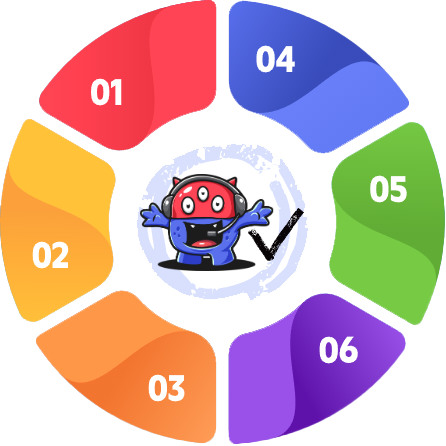
Why Businesses Choose Third-Eye Tech for Microsoft 365 Support
Many IT providers will help you set up Microsoft 365. Far fewer help you maximize its value, secure your environment, support your users, and ensure you’re getting the most from your investment year after year. At Third-Eye Tech, we do all of it.
01
Under 15-Minute Response Time
Every minute your team can’t access Outlook or Teams is a minute your business isn’t moving.
- When Outlook, Teams, OneDrive, SharePoint, or Microsoft 365 stops working properly, productivity can come to a standstill.
- Our average response time is under 15 minutes because your team shouldn't be left waiting for help when they need access to critical business tools.
- Fast support keeps your employees productive and your business running smoothly.
02
One Predictable Monthly Rate
Surprise IT invoices make it impossible to budget, plan, or trust your provider.
- No surprise invoices, hidden fees, or confusing support tiers.
- Your Microsoft 365 management, support, security, and administration are included in one straightforward monthly investment.
- You'll always know exactly what you're paying for and what level of support your business receives.
03
Security Built Into Every Microsoft 365 Environment
Cyber threats don’t care how big your business is, and neither do we.
- Every client receives the same high level of protection, regardless of company size or budget.
- We implement security best practices, access controls, multi-factor authentication, data protection policies, and ongoing monitoring to help keep your environment secure.
- Your users, devices, emails, files, and cloud applications are all protected through a layered security approach.
04
Support for Businesses of Every Size
Small businesses deserve proper IT support, not a watered-down version of it.
- Small businesses deserve the same expertise and protection as larger organizations.
- Whether your team has five users or fifty, you'll receive the same level of service, support, and strategic guidance.
- Our solutions are designed to grow alongside your business without unnecessary complexity.
05
On-Site Support Across South Florida
Some problems can’t be fixed over a video call, and you shouldn’t have to settle for that.
- While many Microsoft 365 issues can be resolved remotely, some situations require hands-on assistance.
- Our team provides on-site support for device setup, network issues, user onboarding, and technology challenges that affect your Microsoft 365 environment.
- When you need help, you'll have access to a local team that can respond quickly.
06
Long-Term Microsoft 365 Strategy Included
Your Microsoft 365 environment should grow with your business, not fall behind it.
- We do more than manage your licenses and resolve support tickets.
- Our team helps you identify opportunities to improve productivity, strengthen security, and get more value from your Microsoft 365 investment.
- From Microsoft 365 Copilot adoption and license optimization to user training and future planning, we help ensure your environment continues to support your business as it grows.
Microsoft 365 IT Services Across Palm Beach and Broward County
Microsoft 365 powers your email, communication, file sharing, collaboration, and daily productivity. When something isn’t working properly, your business feels it immediately. That’s why having the right support partner matters.
Unlike national providers that rely on rotating technicians and outsourced help desks, Third-Eye Tech provides personalized Microsoft 365 support from a team that understands your users, your systems, and your business goals. We help keep your environment secure, optimized, and running smoothly so your team can stay productive and focused on what they do best.
From Palm Beach County to Broward County and throughout South Florida, we deliver responsive Microsoft 365 support backed by real relationships and local expertise.

Boca Raton
Boca Raton

West Palm Beach
West Palm Beach

Fort Lauderdale
Fort Lauderdale

Delray Beach
Delray Beach

Boynton Beach
Boynton Beach

Deerfield Beach
Deerfield Beach

Pompano Beach
Pompano Beach

Palm Beach County
Palm Beach County

Broward County
Broward County

Coral Springs
Coral Springs

Lake Worth
Lake Worth
Real Stories.
Proven Results.
There is not much that I hate more than dealing with my “technology” issues and problems. That’s why we hired Caleb and Third Eye Technology to help handle all of our technology and security issues. Our business is finding our clients the best insurance and educating them on their options Caleb is my “computer insurance”. You have to get it BEFORE you need it!!

I can’t speak highly enough of Caleb for having all the tech experience I need for my business, and for being available, literally 24/7. Best decision I made in my life is to switch to Third Eye Tech as our provider.

I can't say enough good things about Caleb and Third Eye Tech! Their service is truly unmatched, and their expertise is evident in every interaction. Caleb takes the time to understand my small business needs and always comes up with innovative solutions. The quality of work is top-notch, and I feel confident knowing I have such a reliable partner by my side. If you're a small business owner looking for tech support, look no further—I'm happy to recommend them wholeheartedly!

Caleb is very easy to work with. I like how clearly he is able to explain things to me as a not super “techy” person but he manages to be friendly about it and not condescending like some people have been in the past at other tech companies. I definitely feel he gives a peace of mind knowing that one’s business is protected in the computer world. Thank you Caleb!!

Caleb and his team were incredibly helpful in getting me setup and secure. Couldn’t recommend Third Eye enough!

Caleb knows his stuff! There’s nothing like the peace of mind you get from knowing your systems are safe from malware and phishing scams and that someone has your back when technology glitches. Highly recommended.

Find Out Exactly Where Your Business Is Exposed
Most small businesses have gaps in their Microsoft 365 environment, security features, or access controls that you are unaware of. Our free IT Checkup shows where gaps exist and what you need to do before they become a costly problem.

Frequently Asked Questions
About Microsoft 365 Support for Small Business
What Applications Are Included with Microsoft 365 for Business, and How Can We Help You Use Them Effectively?
Microsoft 365 includes a comprehensive suite of applications designed to improve productivity, communication, and collaboration across your business. Depending on your subscription, this can include Word, Excel, PowerPoint, Outlook, OneDrive, Microsoft Teams, and SharePoint, all of which help small businesses work more efficiently and stay connected.
The challenge for many business owners is knowing which tools are right for their team and how to get the most value from them. Caleb and our team will help your business select the right Microsoft 365 plan, identify the applications that best support their operations, and ensure these tools are configured to meet their business needs. We also provide guidance, training, and ongoing support so your team can confidently adopt Microsoft 365 and maximize the return on your investment.
How does OneDrive for Business cloud storage help my team collaborate and share files?
OneDrive for Business gives your team a central place to store, sync, and share files securely, whether your staff is in the office, working from home, or operating as part of remote teams spread across multiple locations. Because it integrates directly with Office Online, your team can open and edit Word, Excel, and PowerPoint documents without downloading anything, which keeps file sharing fast and your business operations running without interruption. Our team sets up and manages your OneDrive environment, so your staff always have access to the resources they need, with the right permissions in place to ensure sensitive files reach only the people who should see them.
What is access management, and why does it matter for my business?
Access management controls who in your business can view, edit, and share files, emails, and applications inside your Microsoft 365 for business environment. Without it, former employees may still be able to log in, staff may have more access than their roles require, and your business has no clear record of who touched what and when, creating real data security exposure that most small businesses do not discover until something has already gone wrong. We review and tighten your access controls as part of your ongoing support, so you always know who has access to what and can revoke it immediately when circumstances change.
How do I know which Microsoft 365 business plan is the right plan for my business?
Choosing between Microsoft 365 Business Basic, Business Standard, and Business Premium comes down to how your team works and what level of security your business actually needs. Business Basic is a cost-effective starting point that covers email, Teams, cloud storage, and web-based apps. At the same time, Business Standard adds desktop versions of Word, Excel, PowerPoint, and Outlook for teams that need the full suite installed on their devices. Business Premium goes further by including Microsoft Defender, advanced endpoint protection, and compliance tools, which makes it the right plan for growing businesses that handle sensitive information and need a fully integrated solution. Caleb and our team will help you compare plans honestly, without pushing you toward something your business does not need.
How does Microsoft Teams support remote teams and hybrid working?
Microsoft Teams gives your staff a single place to communicate and collaborate through chat channels, video calls, and file sharing, making it one of the most powerful tools in the Microsoft 365 business suite for businesses operating across multiple locations or supporting hybrid and remote teams. Your team can share files directly in a conversation, co-author documents in real time, and run meetings without switching between half a dozen different apps. Caleb and our team configure Teams properly for your business from the start, ensuring chat channels are organized, permissions are set correctly, and your staff knows how to use the platform, so your business actually gets the productivity gains it is paying for.
What is Microsoft Defender, and does my business need it?
Microsoft Defender is an integrated security solution built directly into Microsoft 365 that provides your business with real-time protection against cyber threats, including malware, ransomware, and phishing attacks that target your email, devices, and files. Every small business faces these threats, and the damage from a single successful attack, whether it is lost files, locked systems, or compromised client data, far outweighs the cost of having proper protection in place. Caleb and our team deploy and configure Microsoft Defender across your entire environment so it works as it should, because out-of-the-box settings rarely deliver the level of data security your business actually needs.
How can Microsoft 365 Copilot and Microsoft Forms improve the way my team works?
Microsoft 365 Copilot is an AI-powered assistant that helps your staff save time on routine tasks by drafting documents, summarizing meetings, analyzing complex data in Excel, and helping your team create presentations in PowerPoint without starting from scratch each time. Microsoft Forms complements this by enabling your small businesses to create customizable surveys, quizzes, and polls, facilitating data collection and real-time feedback analysis. We help growing businesses identify where these tools add the most value, set them up correctly, and provide the training your staff needs to use them in their daily workflow.
Do We Need Training to Get the Most Value from Microsoft 365?
Yes. While Microsoft 365 offers powerful tools to improve collaboration, communication, and productivity, many businesses only use a small portion of its capabilities. Employee training sessions on Microsoft 365 tools can significantly improve adoption rates, increase confidence in using the platform, and enhance overall productivity across your organization. With tools like Microsoft Forms, you can create customizable surveys, quizzes, and polls for real-time feedback and data collection. Our training helps your team get up to speed on everything Microsoft 365 has to offer.
How do I find the right Microsoft 365 IT support provider for my small business?
The most important things to look for are strong customer reviews and references from businesses similar to yours, because reliability and service quality are far easier to spot in someone else’s experience than in a sales conversation. You also want a provider who manages your Microsoft 365 business environment proactively rather than reactively, keeps your apps and security features up to date to protect against evolving vulnerabilities, and takes the time to understand how your business actually operates before making any recommendations. Caleb and our team work with small businesses across South Florida. The references we can share come from owners and operators who had the same questions you do now and found that having a dedicated, local team made a real difference to their business.
Get Expert Microsoft 365 Support
for Your Business
Schedule a free IT Checkup.
No obligation. No sales pitch.